Your macros
from a single photo.
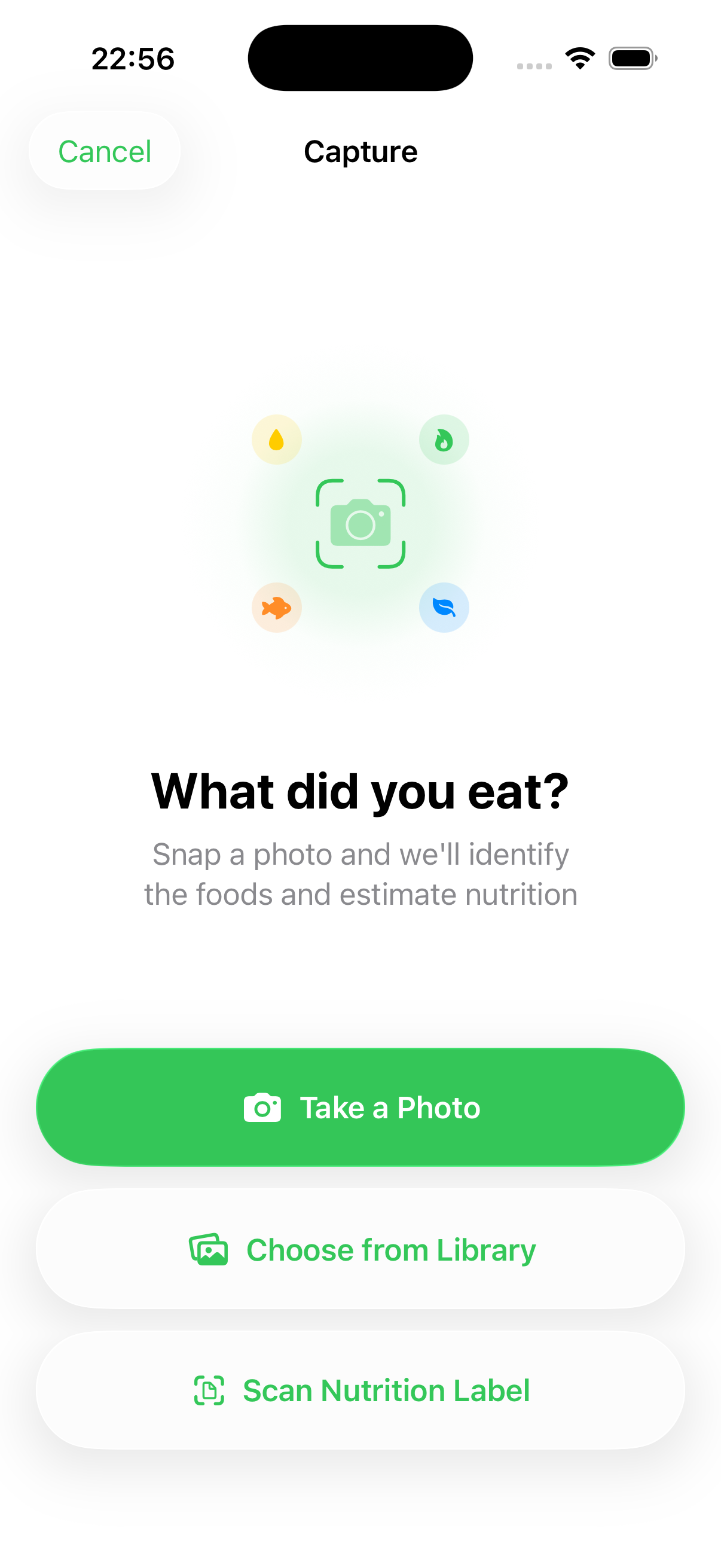
Point your camera at any meal and Cloud AI estimates calories, protein, carbs, and fat in seconds, ready for you to edit before it is saved. Search, label, and manual logging stay private on your device, no signal required.
 One purchase. No subscription.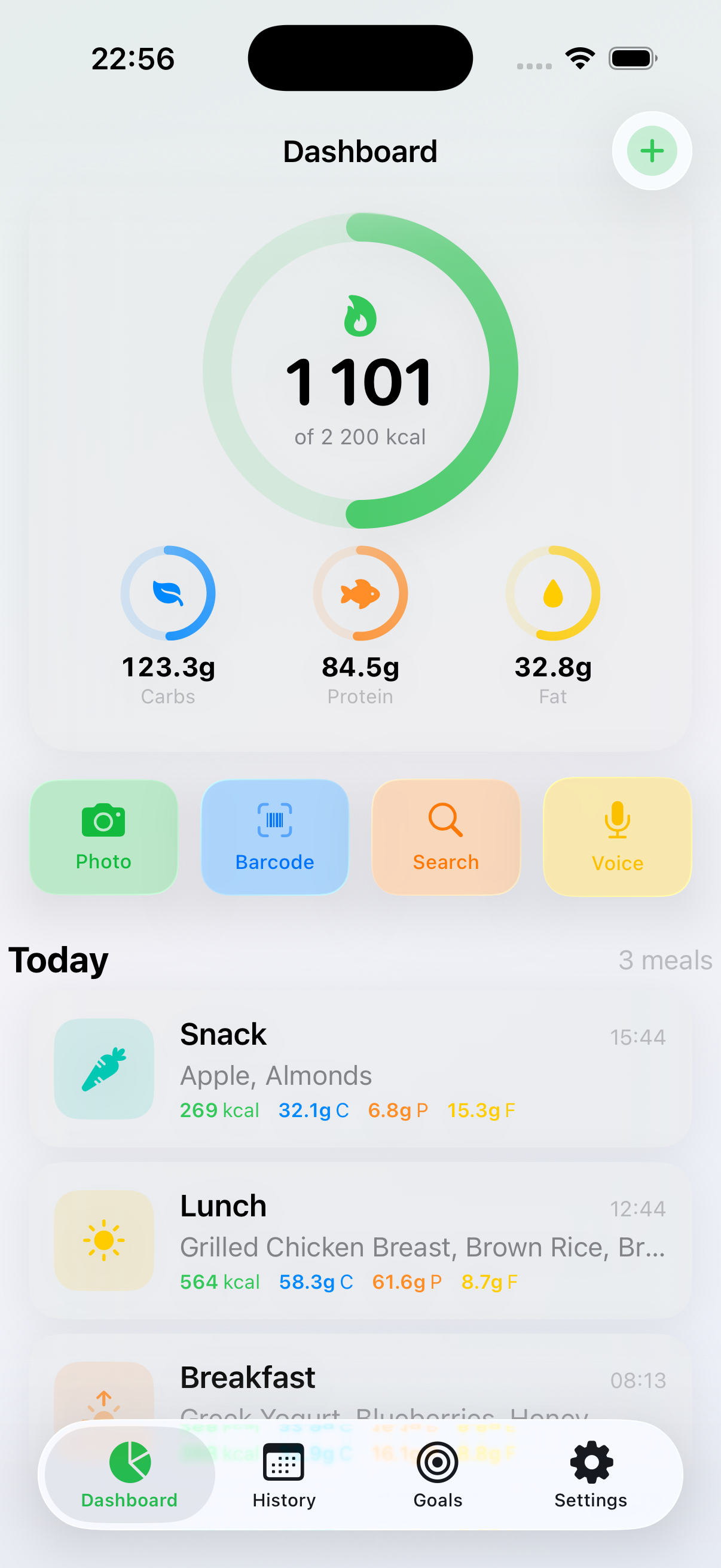
Five ways to log.
Zero reasons not to.
Snap it. Scan it. Say it. Search it. Read the label. Calometric fits how you already eat, not the other way around.
Photo Scan
Snap your meal and Cloud AI identifies the foods and estimates realistic portions, calories, and macros.
Barcode Scanner
Point at any packaged food for instant nutrition from a global product catalog. The code is read on your device, with graceful offline recovery.
Voice Logging
"I had a chicken wrap and a coffee." Say it and it lands in your diary, hands-free. Voice logging works on your device wherever your language supports it.
300 Staples, Plus Every Barcode
Search 300 everyday staples right on your device, then scan anything packaged against a global product catalog. Your saved foods appear first, ordered by what you logged most recently, so a repeat meal takes a tap. Search runs entirely on your device.
Nutrition Label OCR
Point your camera at a nutrition label and Calometric reads it on your device, filling in calories, carbs, protein, and fat automatically.
Manual Entry
Prefer to type it in? Add any food and fine-tune the portion by hand. Fully on-device, always available, no signal required.
Apple Watch
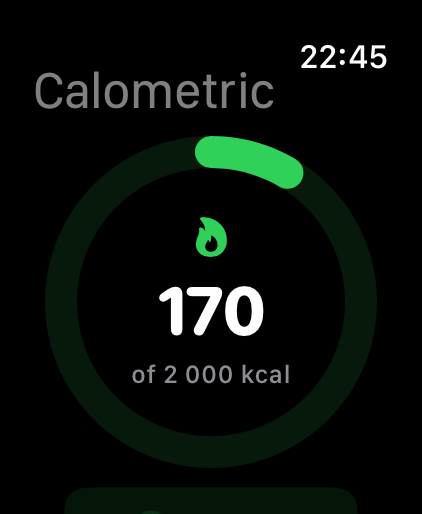
Check your ring, log a snack, review macros, all from your wrist. Put calories on your watch face, or carbs, protein, fat, or saturated fat, one macro per complication. No phone needed.
Goals That Adapt
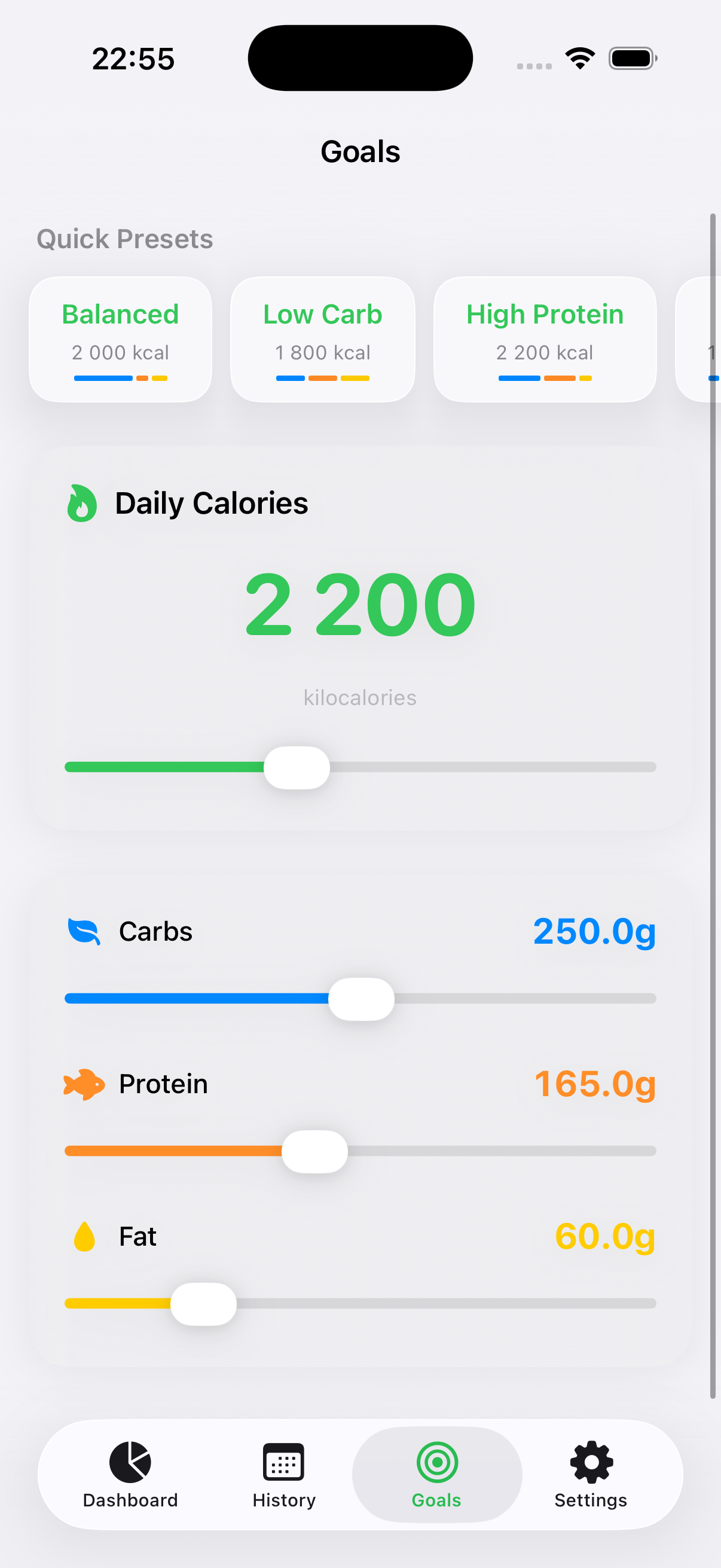
Pick a preset, such as Balanced, Low Carb, High Protein, or Keto, then fine-tune. Slide calories and the macros redistribute, with a separate daily saturated-fat target when you want one.
History & Export
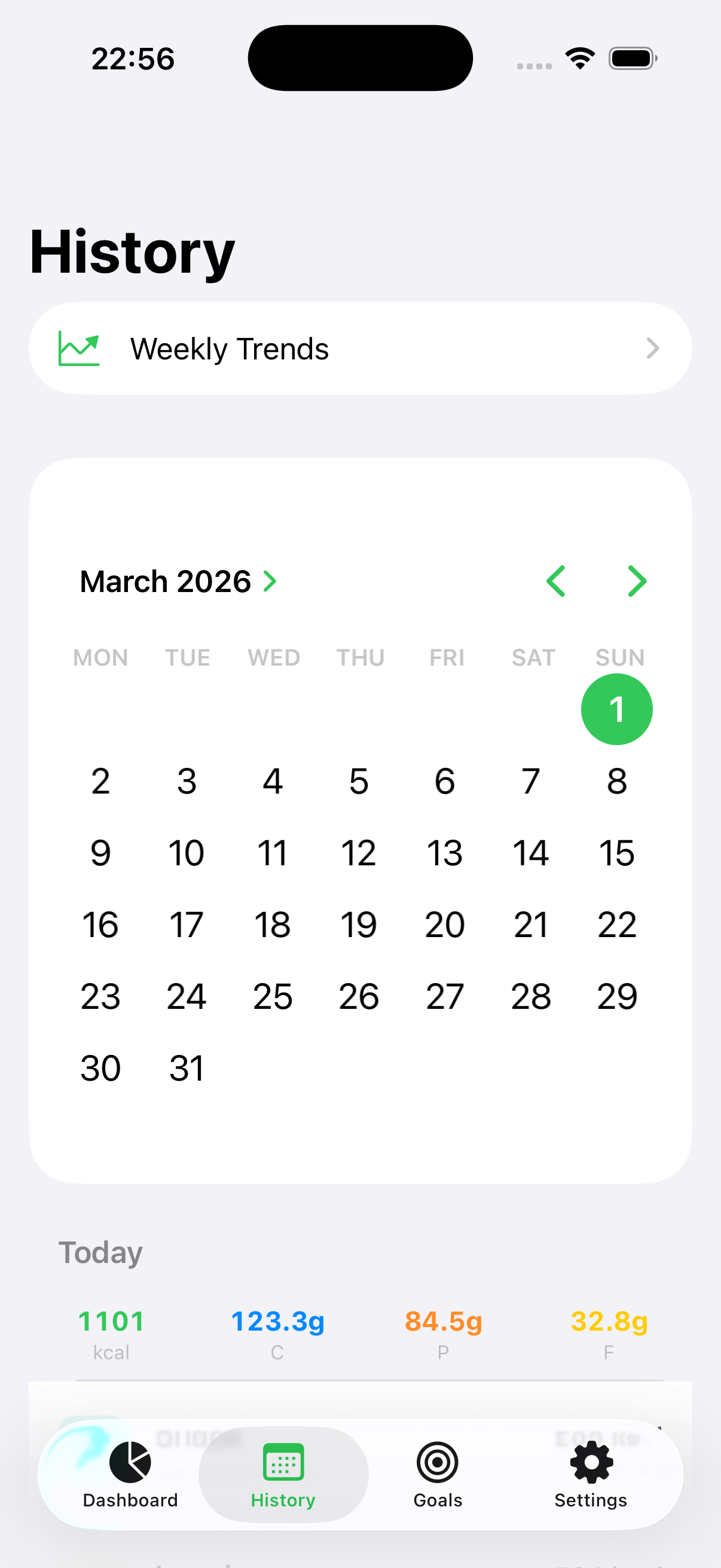
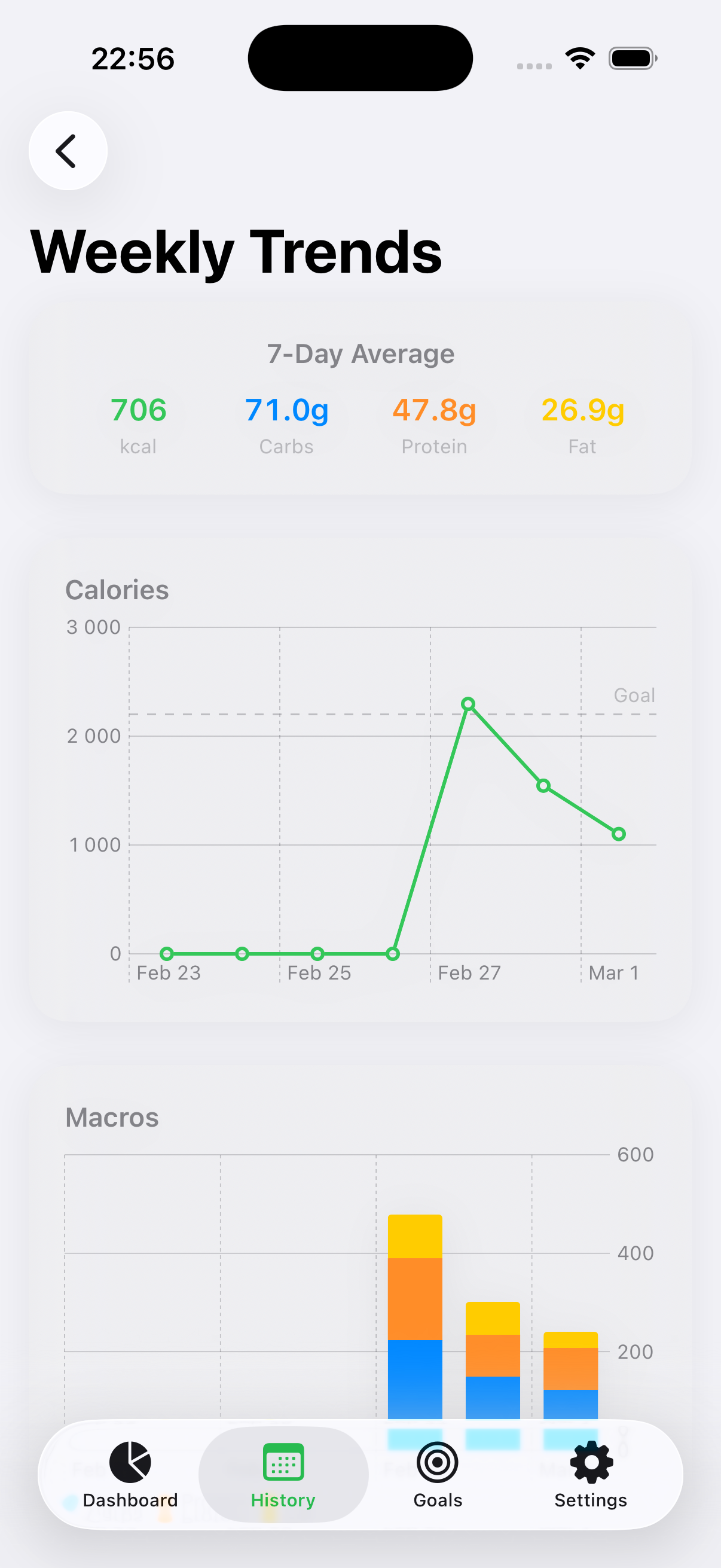
Calendar view, weekly charts, and full meal detail. Review saturated fat when available, edit anything after saving, and export to CSV or a printable PDF report. Your history lives on your device and can sync through your iCloud when you enable it.
Syncs Across Your Devices
Turn on iCloud sync and your diary follows you from iPhone to iPad to Apple Watch.
Lives in Apple Health
Your nutrition flows both ways with Apple Health, saturated fat included, as soon as you allow it.
Track Without Opening the App
A calorie ring on your Home and Lock Screen, a Control Center capture button, and Spotlight search for past meals.
Nutrition Report
Turn any date range into a PDF you can print or hand to your doctor. Pick the dates in History, check the figures, preview it, then print or send it by Mail, Files, or AirDrop. It is put together on your device.
Open the app.
Know where you stand.
One calorie ring. Three macro rings. Your recent meals below. No tabs to navigate, no dashboards to configure. You see your entire day the moment you launch.
Describe it.
Done.
Snap a photo and your calories and macros come back in seconds. Prefer to type it or say it? Do that instead, right on your device, with no signal needed.
Your plan.
Your numbers.
Set a daily calorie target. Dial in your carb, protein, and fat split, then add an independent saturated-fat target if you want one. Start from a preset, such as Balanced, Low Carb, High Protein, or Keto, then fine-tune. Slide the calories and your macro targets redistribute automatically. Everything auto-saves as you go.
See the pattern.
Not just the day.
A calendar view shows every day at a glance. Weekly charts reveal how your calories, macros, and saturated fat shift over time. Edit any meal after saving, export everything to CSV, or turn any date range into a PDF nutrition report you can print or hand to your doctor. Your data belongs to you.
Leave your
phone behind.
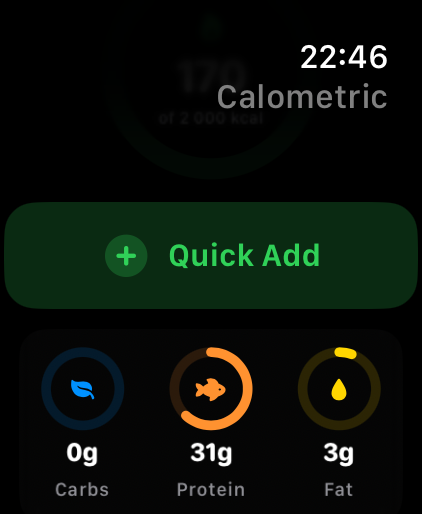
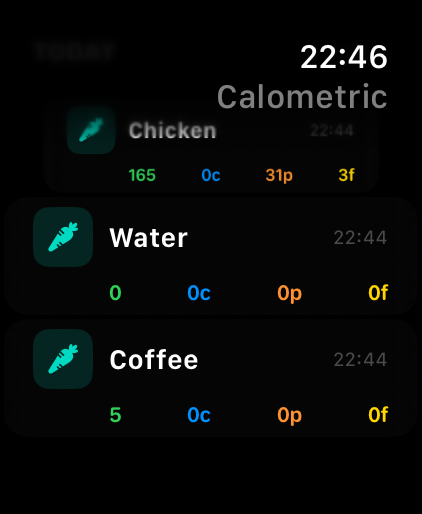
A full companion app on your wrist. Check the calorie ring after lunch. Quick-add a protein shake at the gym. Browse today's entries while cooking. Add a complication to your watch face for calories at a glance. Your phone stays in your pocket.
Track without
opening the app.
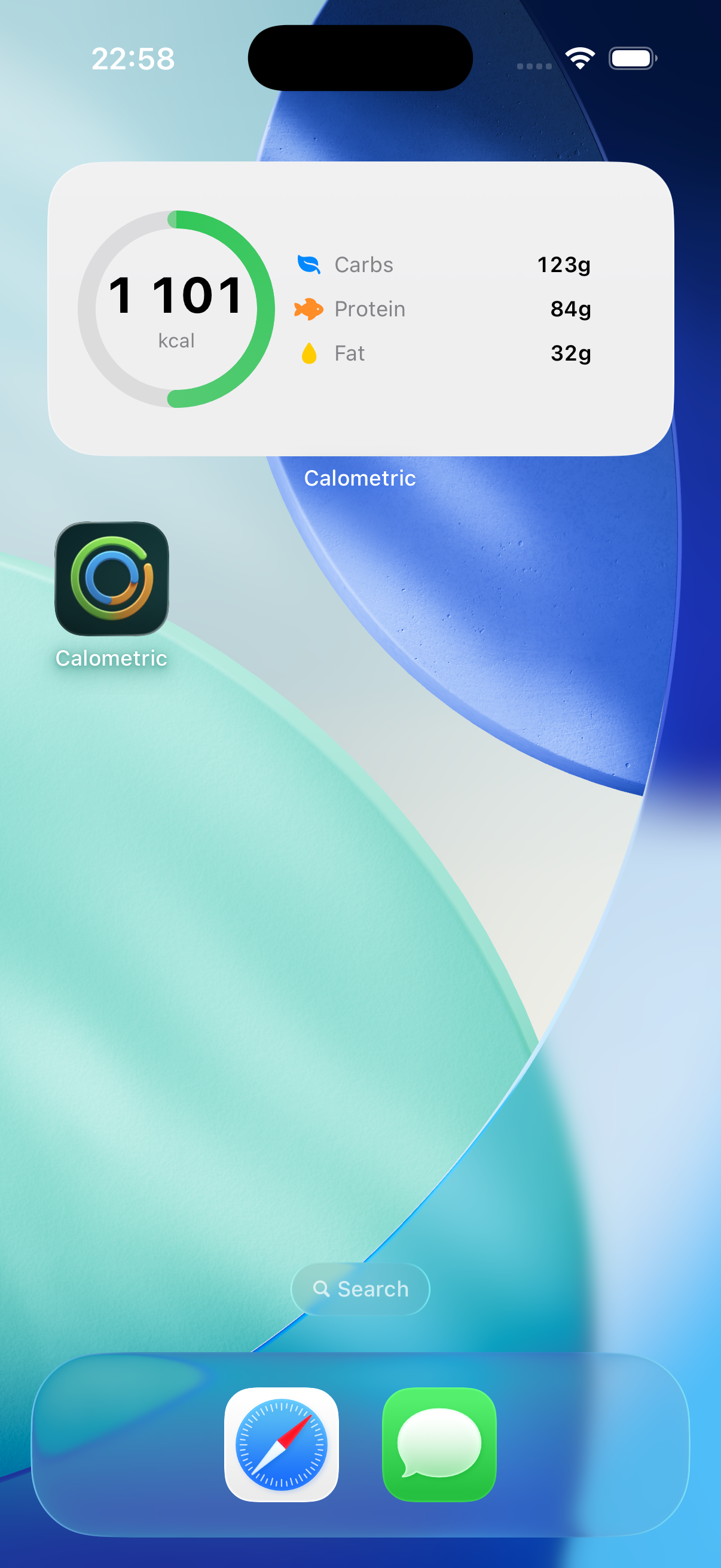
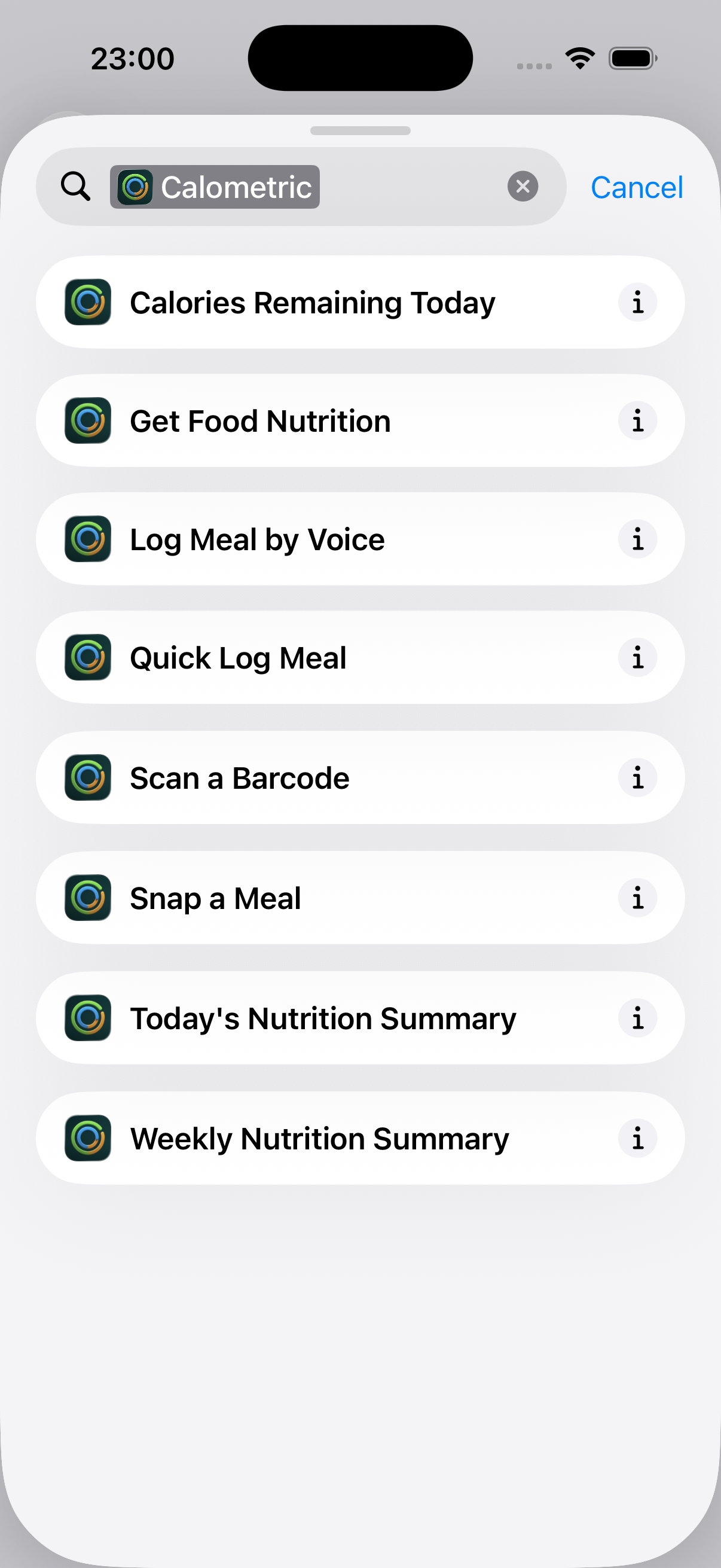
Home screen widgets show your calorie ring at a glance. Lock Screen widgets keep your goal visible all day. A Control Center button jumps straight to capture, Spotlight surfaces any meal you've logged, and Siri Shortcuts let you log with your voice. The less friction, the more consistent you are.
Your food diary
stays private.
Your meal history, weight, and goals stay on your device and can sync through your iCloud when you enable it. No account is required. Usage analytics stay off until you turn them on, and crash reports are on by default. Both are in Settings.

Questions? Answers.
Is my data private?
What happens to a photo I scan?
Does non-photo tracking need an internet connection?
What does my purchase include?
Which foods can it recognize, and how accurate is it?
Do I need to create an account?
Which devices does Calometric run on?
Does it work with Apple Health and iCloud?
Can I share my nutrition data with my doctor?
Start tracking today.
One purchase unlocks the app. No subscription, ever.