 Calometric
Scan the barcode on the pack.
Your phone reads the code, then looks the product up in Open Food Facts, a community-maintained food catalog. If a product is missing, you can add it yourself.




How it works
- Point the camera at the barcode; the code is read on your phone.
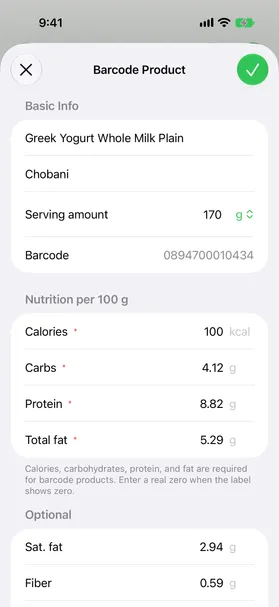
- Calometric looks the product up and shows its nutrition per serving or per 100 g or ml.
- Set the amount you ate and save.
Good to know
What is sent
The barcode number, your device language and country, and the details any web request carries, such as your IP address. The camera image is not stored or sent.
Missing products
If a product is not in the catalog, or you are offline, add it yourself. Products you add are saved on your device.
Visual Intelligence
On iPhones with Visual Intelligence, point the camera's visual search at a barcode to open the product, ready to log.
Photo scans
Barcode logging never uses a scan.